

Compare experiments
An experiment groups runs that differ in their knobs. The comparison ranks configurations and tells you whether the lead is real.
Prerequisites
Section titled “Prerequisites”- Runs with the same workload, ladder, SLOs, arrivals and target type.
- At least three repeats per configuration for high confidence.
- Give every RunSpec the same
experimentand set the value under test inknobs. - Apply each configuration to the target, then run its repeats. Managed vLLM is the only target servtuner changes for you.
- Open Experiments, choose the experiment, pick an objective and select Compare configurations.
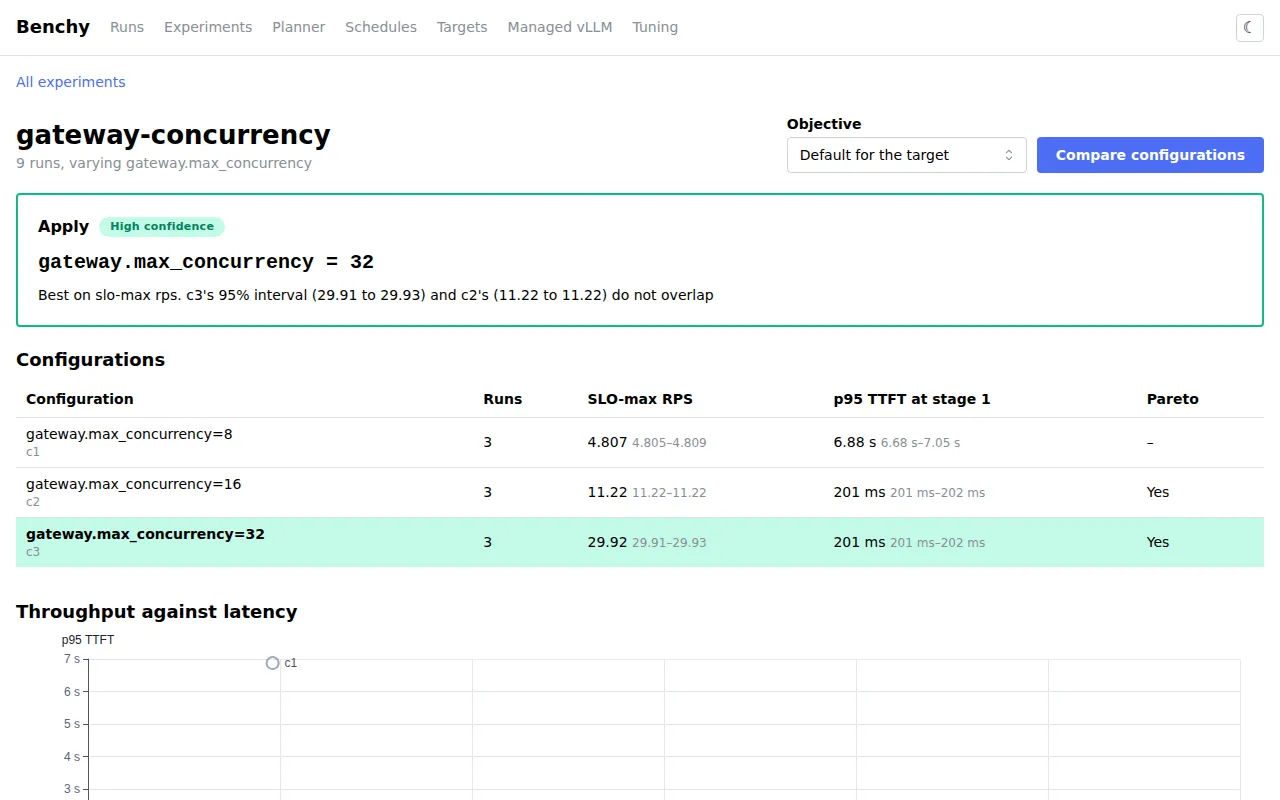
The sample shows a mock server with three concurrency caps.
From the command line, pass analyzed bundles:
servtuner compare --bundles runs/a,runs/b,runs/c --objective slo_max_rpsRead the comparison
Section titled “Read the comparison”| Result | Meaning |
|---|---|
| Winner | Its interval does not overlap the runner-up’s. With single samples, the lead exceeds 10% |
| No winner | The data does not separate the leaders. Add repeats |
| Not comparable | Workload, ladder, arrivals, SLOs or target type differ |
| Excluded run | Its captured knobs contradict the declared ones, or a fault invalidated it |
| Lower bound | A run never failed an SLO. Extend its ladder |
| Pareto set | Configurations where improving one objective costs another |
The default objective is slo_rps_per_gpu for vLLM, slo_rps_per_core for routers and slo_max_rps for OpenAI-compatible targets.
Line runs up without ranking
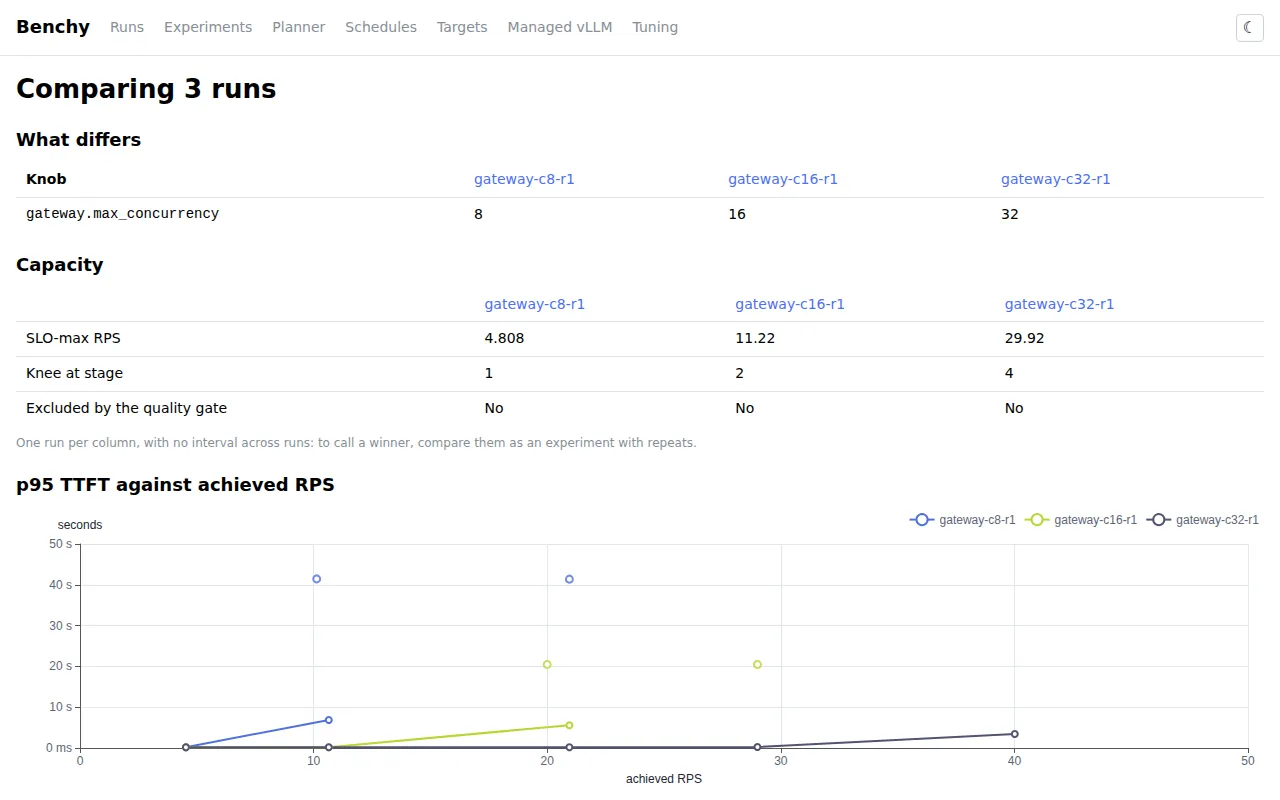
Section titled “Line runs up without ranking”Select two or more runs in the runs list, then Compare runs. The page aligns them by stage and knob. It does not declare a winner.
Delete an experiment
Section titled “Delete an experiment”An admin can Delete experiment on its page. It first lists what goes: its runs (each refused for the same reasons as a single run), its analyses and its finished tuning sessions. Saved scenarios that use its runs block the delete unless you choose to delete them too. Managed targets and schedules are never touched. It cannot be undone.
Verify
Section titled “Verify”Check that each configuration lists the expected number of repeats and that no run is excluded unexpectedly.
Next steps
Section titled “Next steps”Feed the best run into the planner.