

Inspect runs
Use the runs list to find a run and its page to judge it.
Prerequisites
Section titled “Prerequisites”- A control plane with at least one run. See run locally.
The home page
Section titled “The home page”servtuner opens on Overview: the Recent runs with their status and SLO-max, the managed vLLMs and their state, and the tuning sessions. Each links to its page, and New run starts one.
- Open Runs. Filter by experiment, target type or status. The API also filters by label.
- Open a run. While it is active, the page polls and shows its current step.
- Start at Overview. Read the timeline and stage validity before any latency number. The overall grade is in
analysis.json.
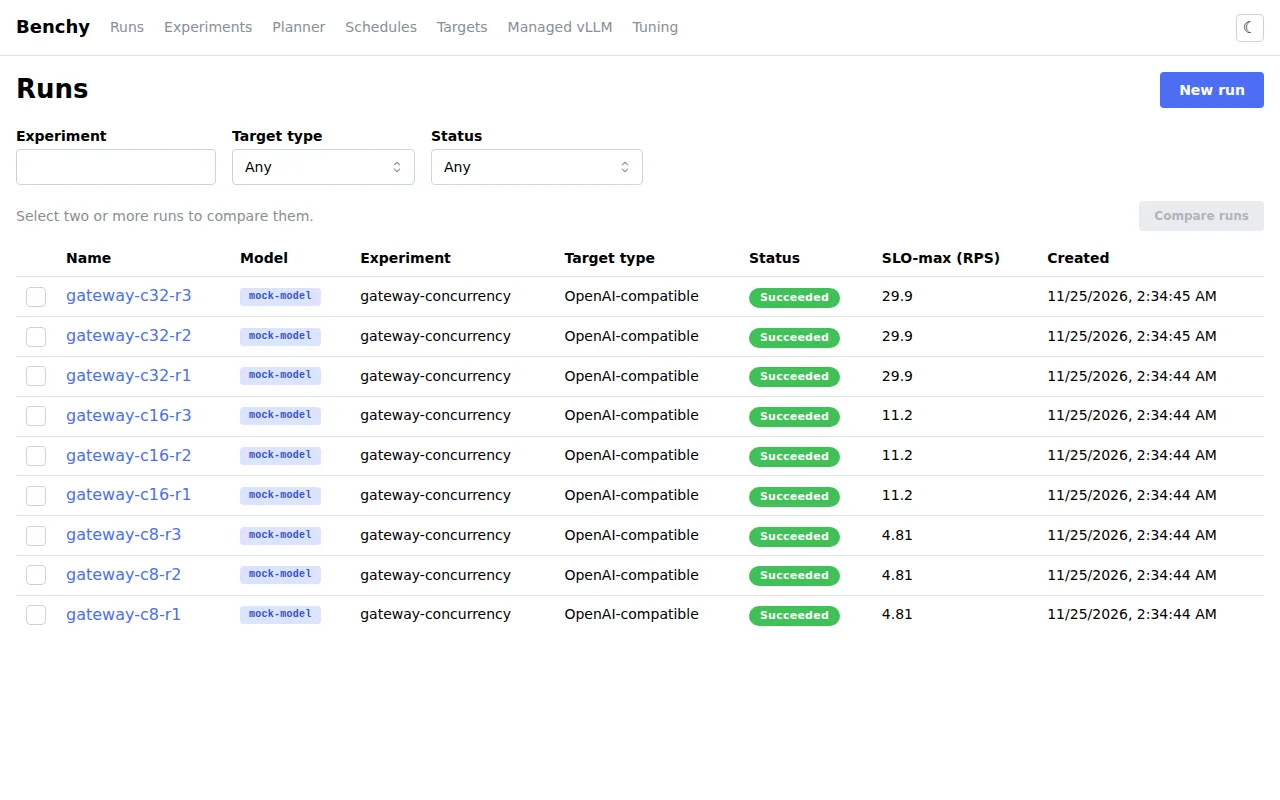
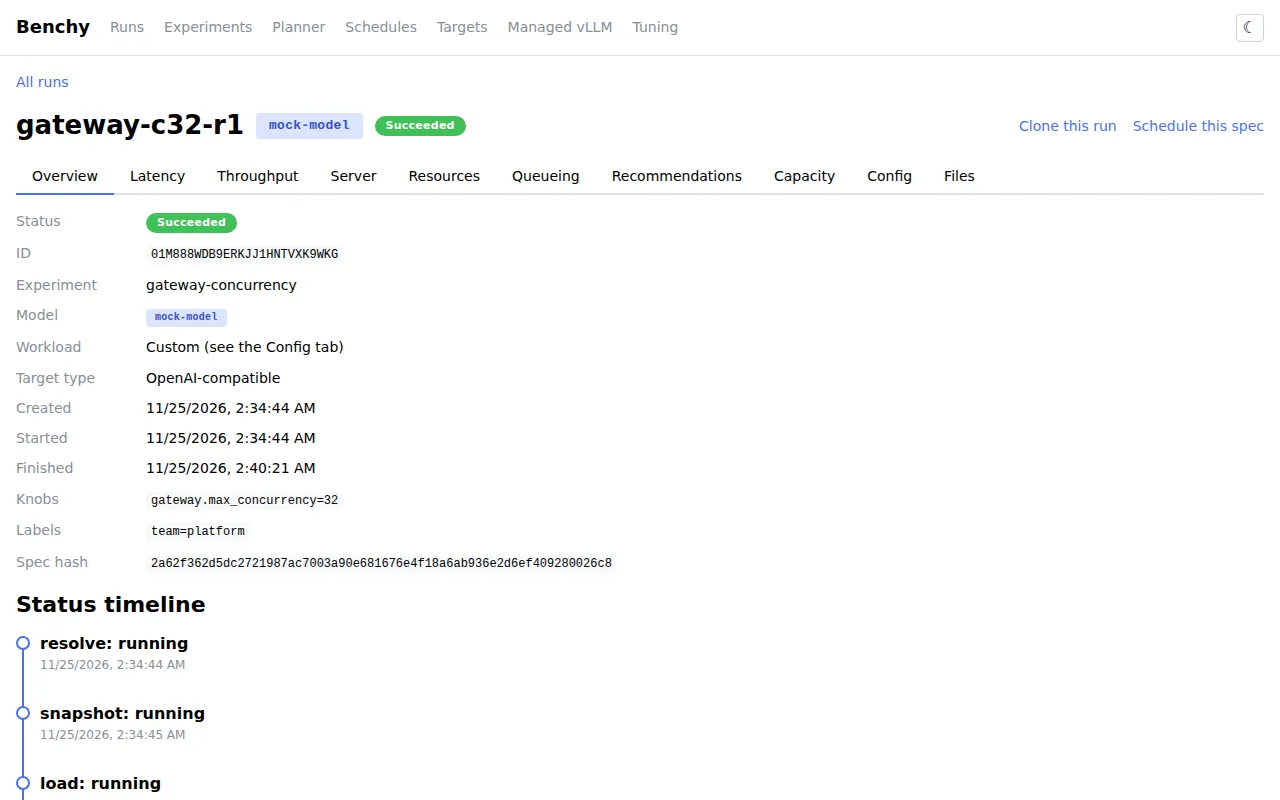
Screenshots show sample data from the mock server.
| Tab | Use it to |
|---|---|
| Overview | Judge stages and the status timeline |
| Latency | See percentiles and distributions over time |
| Throughput | Compare offered and achieved rates |
| Server | Explain results with target metrics |
| Resources | See CPU, memory and GPU against requests and limits |
| Queueing | Inspect requests in flight, Little’s law and queue sizing |
| Recommendations | Review proposed changes with their derivations |
| Capacity | Read replicas by traffic level |
| Config | Compare declared and captured knobs, and the transport per hop |
| Files | Download raw and derived files |
Server and Resources need Prometheus data. Capacity replica rows need a Kubernetes snapshot.
Start again
Section titled “Start again”Clone this run copies a run’s RunSpec into New run. It makes a new run and leaves the original unchanged. Cancel stops an active run.
Delete a run
Section titled “Delete a run”servtuner never throws a run’s raw data away by itself. An admin can Delete run on its page. That removes its bundle, every experiment analysis that included it, and its record. It cannot be undone.
servtuner refuses, and says why, while the run:
- is unfinished;
- is a schedule’s baseline;
- belongs to an active tuning session;
- is used by a saved planner scenario.
If a delete stops halfway, delete again to finish it.
Verify
Section titled “Verify”Open Files and confirm that manifest.json and analysis.json exist.